Bulk loader
Load transmitters
In the Manage Transmitters menu, by clicking the button:  the user accesses the "Add Transmitter" screen. This screen allows you to bulk load transmitters in Warehouse or Installed status.
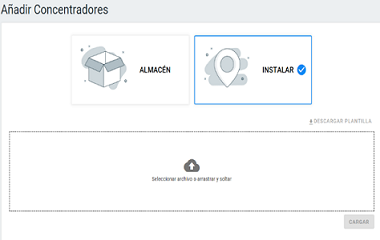
Once upload options is selected:
- Click on Download Template
- Complete the required fields of the template and save the document.
- Click on Choose file or drag and drop to upload the template.
- Load the template.
Load Meters and Devices
In the Manage Devices menu, byt clicking the button: the user accesses the "Add Devices" screen. This screen allows to load in Warehouse, Installed or Remove devices.
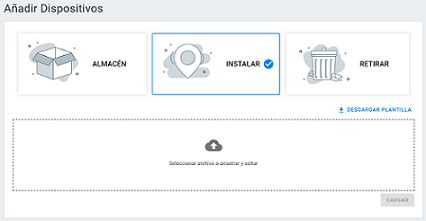
Once the option is selected:
- Click on Download Template
- Complete the required fields of the template and save the document.
- Click on Choose file or drag and drop to upload the template.
- Load the template.
How to know the result of the uploaded template
After uploading a file, the possible scenarios are:
There was an error during it:

The file has been loaded and processed correctly.

Clicking the View process button the user accesses the menu item File Manager from which it is possible to check the result of the loaded files.
To know more about how to load templates: Watch these videos.